Características del radar AirNav: ayudas a la navegación, puntos de referencia y rutas
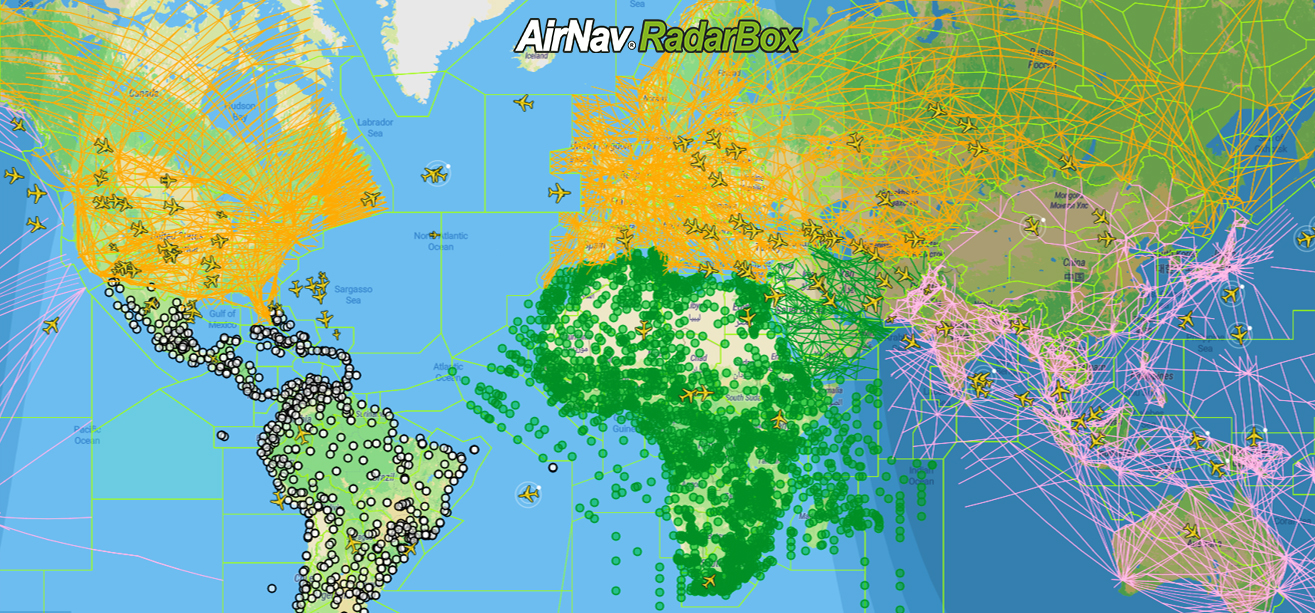
La imagen de arriba: Ayudas a la navegación, puntos de referencia y rutas de vuelo que se muestran en todo el mundo
Esta semana, la función de la semana de AirNav RadarBox se centra en las ayudas a la navegación, los puntos de referencia y las rutas, un conjunto de funciones de navegación disponibles en el sitio web Radarbox.com. Las ayudas a la navegación, los puntos de referencia y las rutas son herramientas esenciales que se utilizan en la planificación de vuelos y la navegación en la industria de la aviación. Estas funciones se pueden activar de forma individual o en conjunto y se colorean según la región geográfica para facilitar su identificación. ¡Exploremos estas funciones ahora!
Rutas
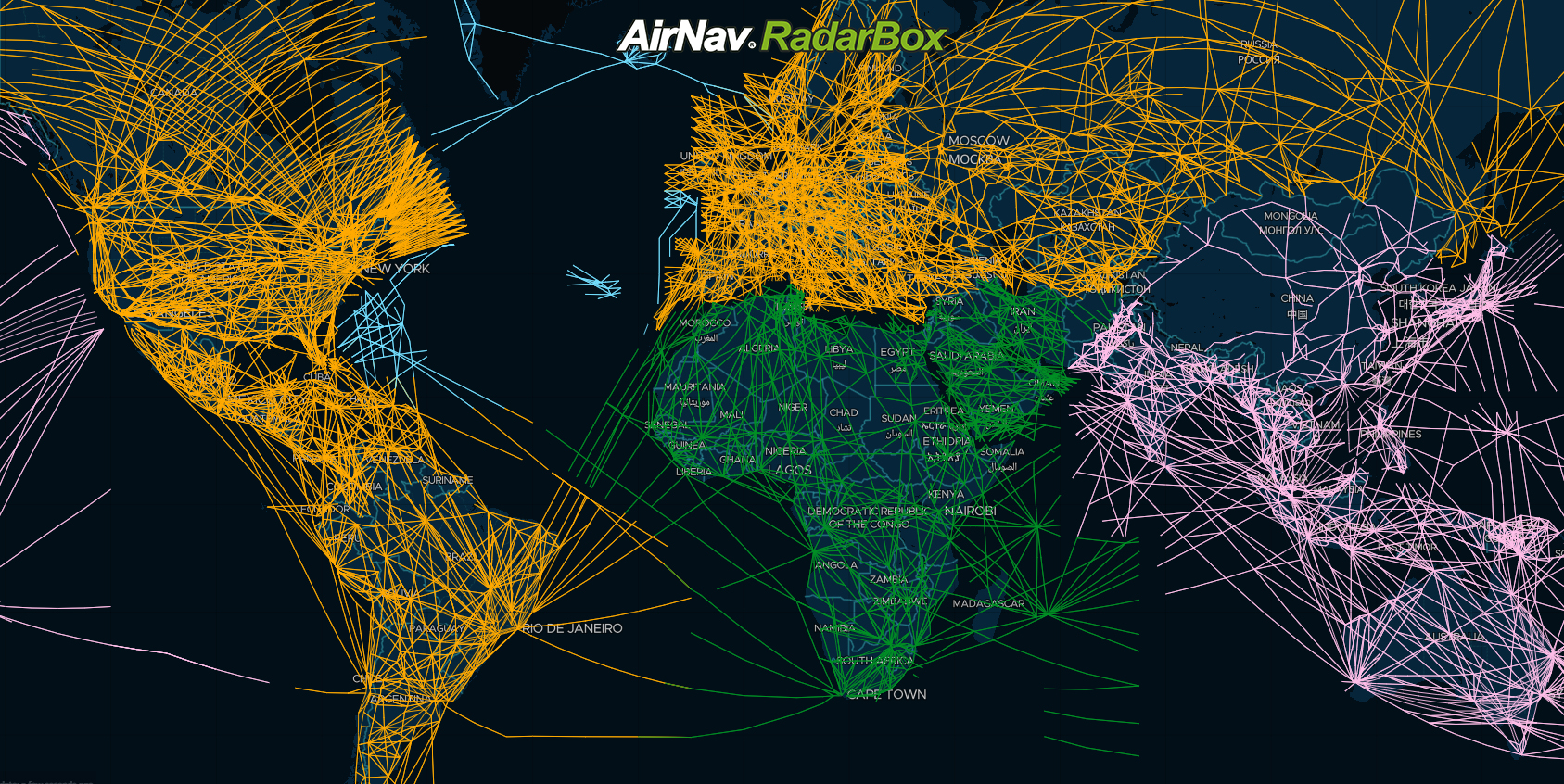
La imagen de arriba: Rutas de vuelo mostradas en el mapa RadarBox
Las rutas, conocidas como "autopistas en el cielo", muestran las distintas rutas y trayectos fijos que siguen los aviones y los vuelos. Cada región del mundo tiene sus propias rutas codificadas por colores para distinguir claramente entre los continentes. Actualmente, mostramos rutas sobre América (América del Sur, América Central y América del Norte), Asia, África, Europa, Oriente Medio y los océanos Atlántico y Pacífico.
Ayudas a la navegación
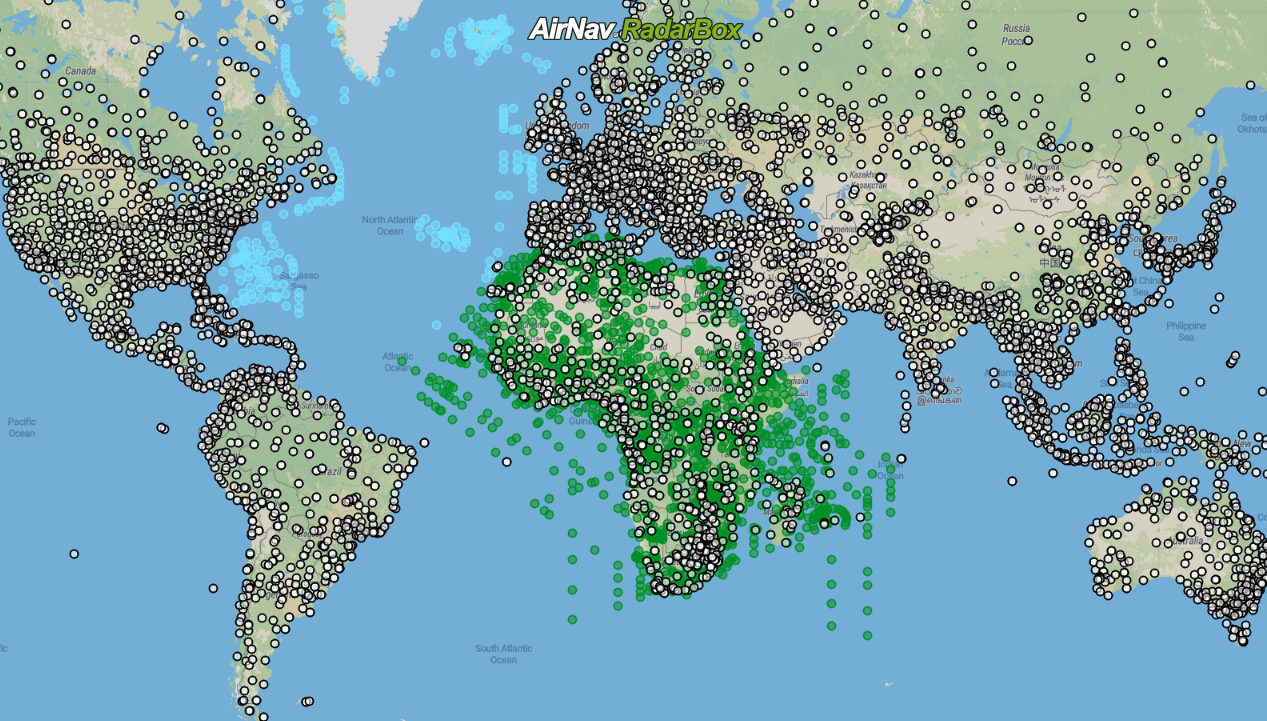
La imagen de arriba muestra ayudas a la navegación y puntos de referencia en 6 continentes
Las ayudas a la navegación (NAVAID) son básicamente radiobalizas que ayudan a los pilotos a orientarse mientras vuelan. Al igual que la función de rutas, los usuarios pueden activarlas para cada continente y RadarBox muestra ayudas a la navegación para Asia/Pacífico, América, Oriente Medio, Europa y el océano Atlántico.
Puntos de referencia
Los puntos de referencia, también conocidos como puntos de notificación, hacen referencia a un punto determinado del globo terráqueo definido con precisión mediante coordenadas geográficas a través del GPS. Los puntos de referencia se representan en el mapa de RadarBox como pequeños círculos rosados. Al igual que las ayudas a la navegación y las rutas, puedes activarlos para regiones geográficas específicas de todo el mundo: África, Asia, Europa, América, Oriente Medio, océanos Atlántico y Pacífico.
Además de todas estas características que proporcionan información a los pilotos para navegar mientras vuelan, tenemos dos opciones de mapas enfocadas: Sky Vector VFR y Sky Vector LO.
Vector del cielo VFR/LO
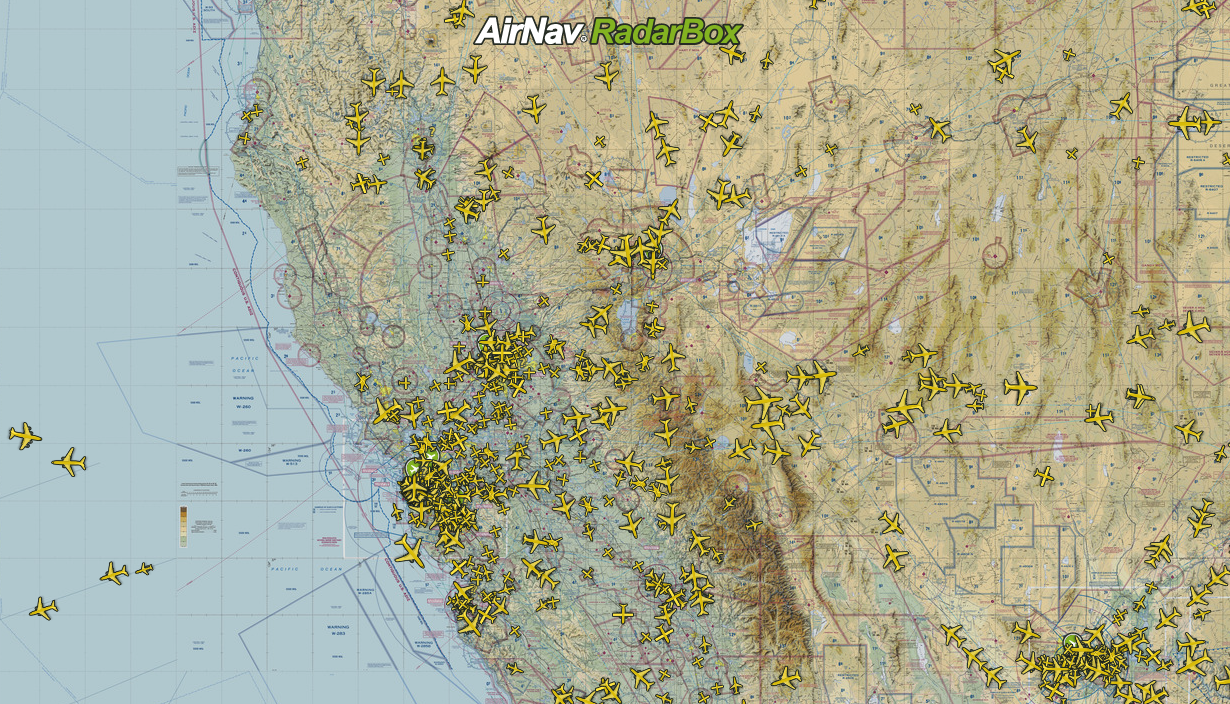
La imagen de arriba: Mapa VFR del vector del cielo
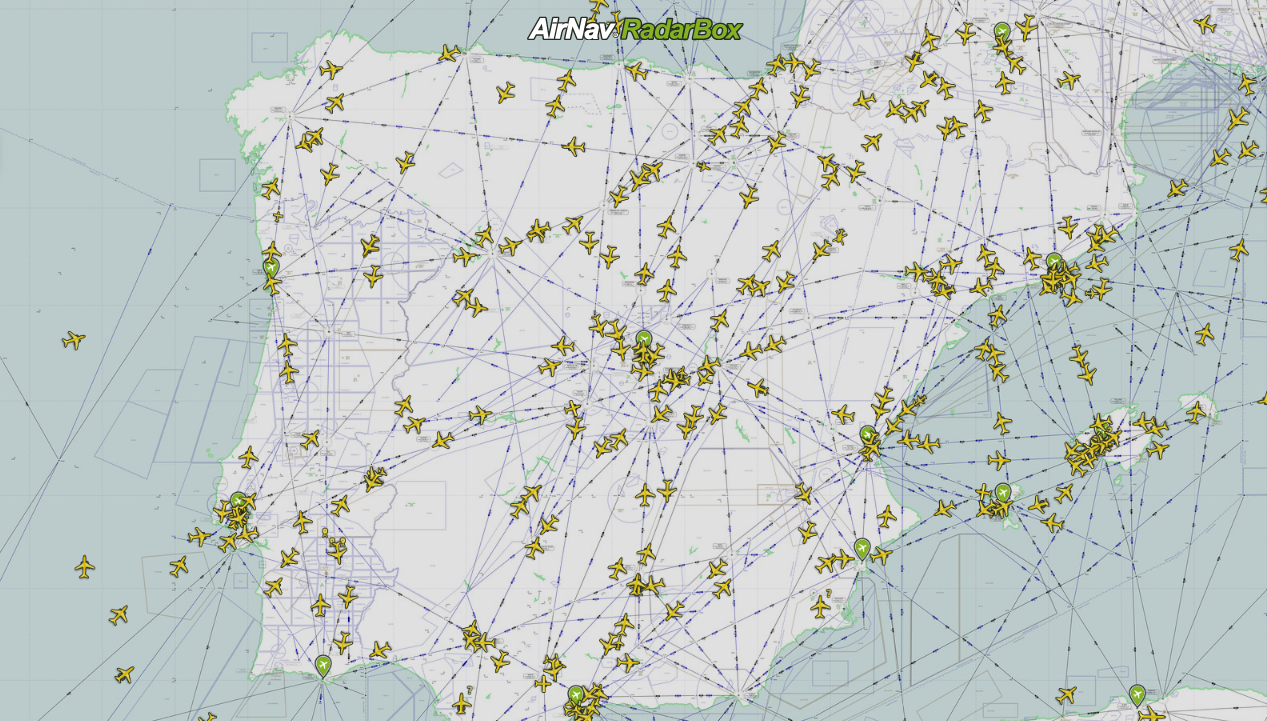
La imagen de arriba: Mapa LO del vector del cielo
La opción de mapa Sky Vector VFR/LO – la carta aeronáutica vector del cielo – es una excelente referencia y herramienta de navegación para pilotos y tripulaciones durante las operaciones y fundamentalmente para la planificación del vuelo.
Cómo activar la carta aeronáutica SkyVector (VFR/LO) en RadarBox.com
Para utilizar la opción de mapas aeronáuticos de Sky Vector, vaya al lado derecho de la página de RadarBox.com, seleccione el sexto elemento, "Opciones de mapa", y haga doble clic en él. Luego vaya a "Mapas" y seleccione uno de los mapas disponibles. ¡Listo!
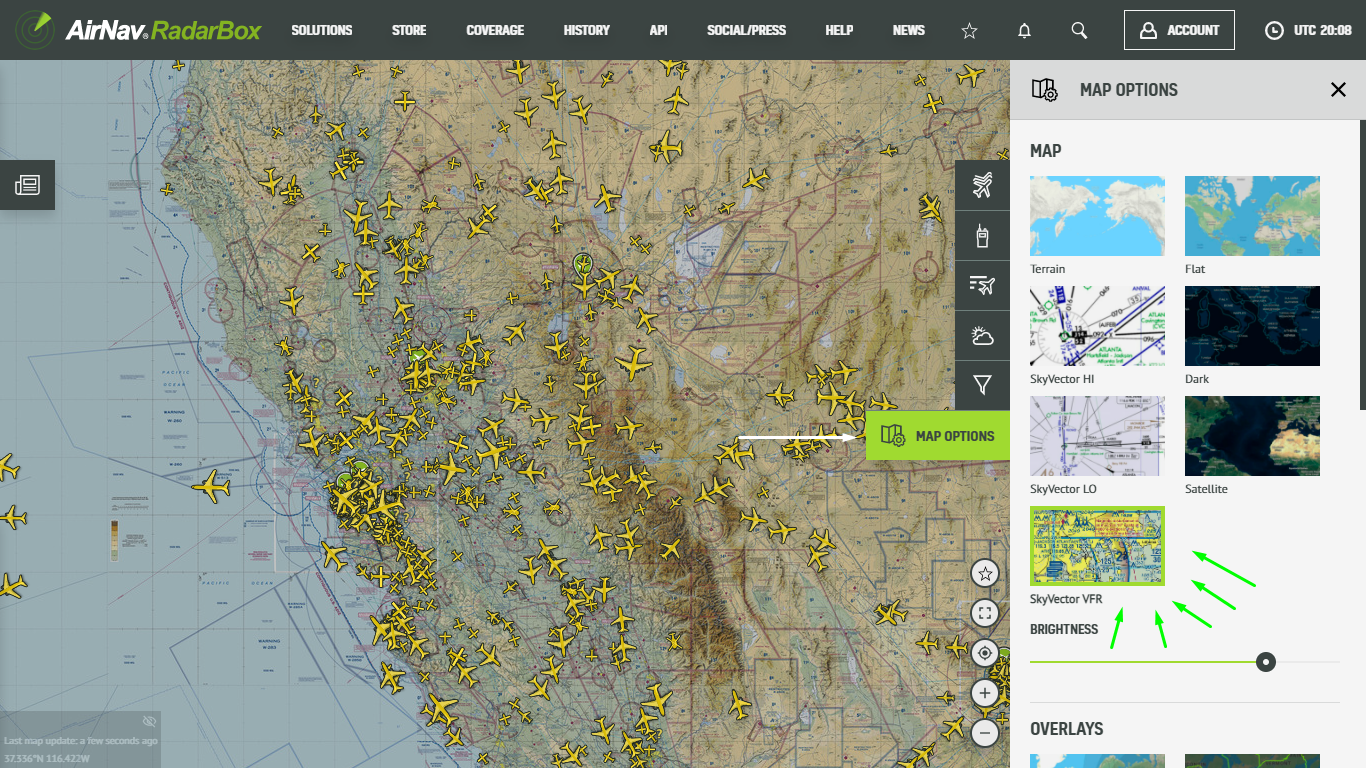
La imagen de arriba: Tutorial VFR de Sky Vector
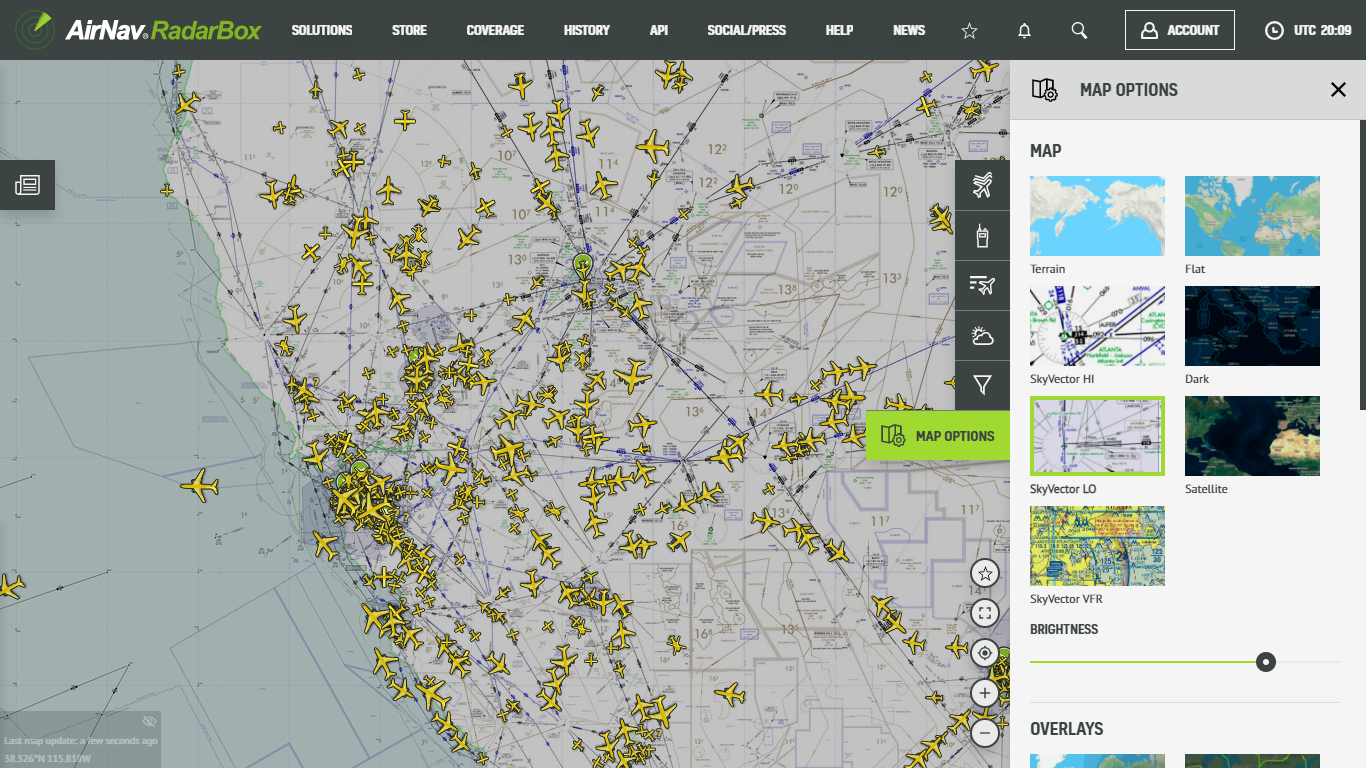
La imagen de arriba: Tutorial Sky Vector LO
Cómo activar ayudas a la navegación, puntos de referencia y rutas en RadarBox.com
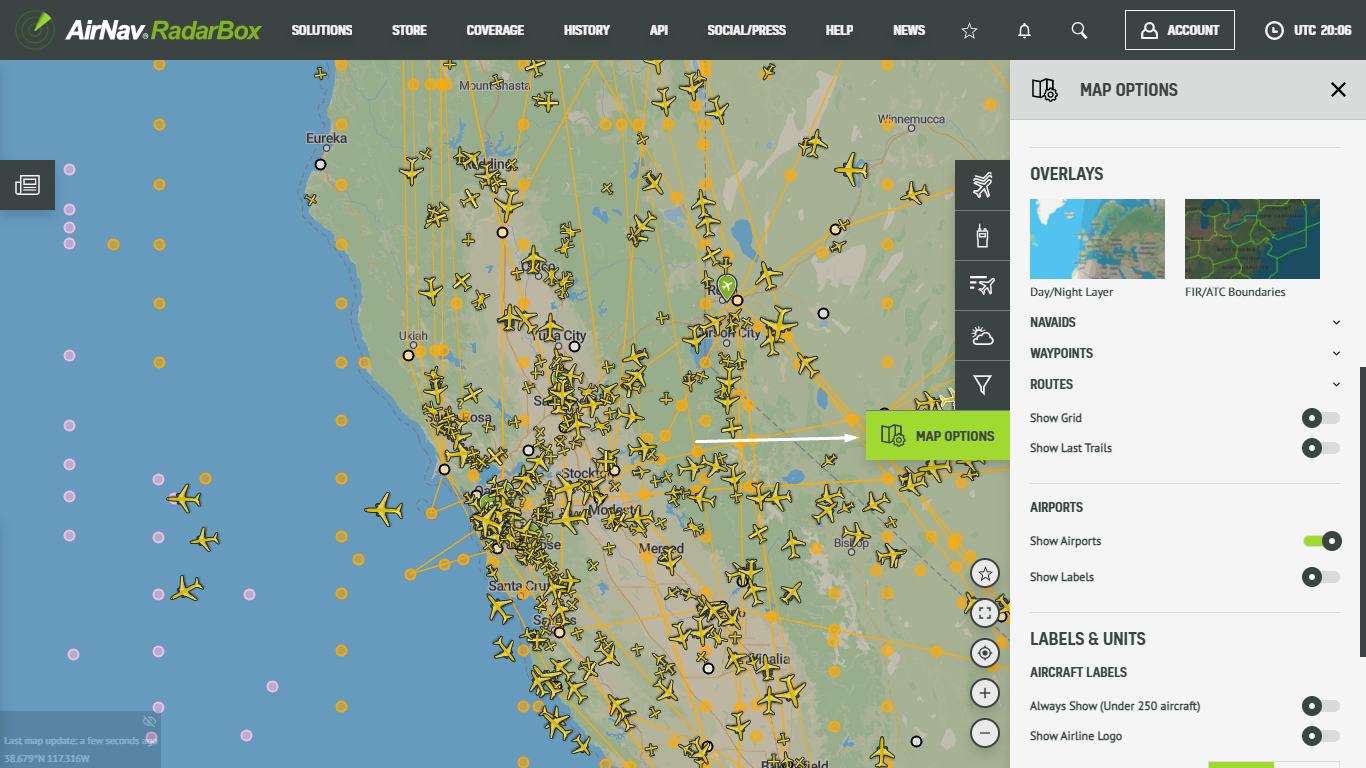
La imagen de arriba: Tutorial de ayudas a la navegación, puntos de referencia y rutas
Para activar rutas, ayudas a la navegación y waypoints, vaya al lado derecho de la página de RadarBox.com, seleccione el sexto elemento, "Opciones de mapa". Después de abrir la pestaña, desplácese hacia abajo hasta encontrar "NAVAIDs, Waypoints & Routes" , simplemente haga clic en uno de los elementos (NAVAIDs , Waypoints o Routes ) o "^" y seleccione los continentes o regiones que desea activar en el mapa de RadarBox.
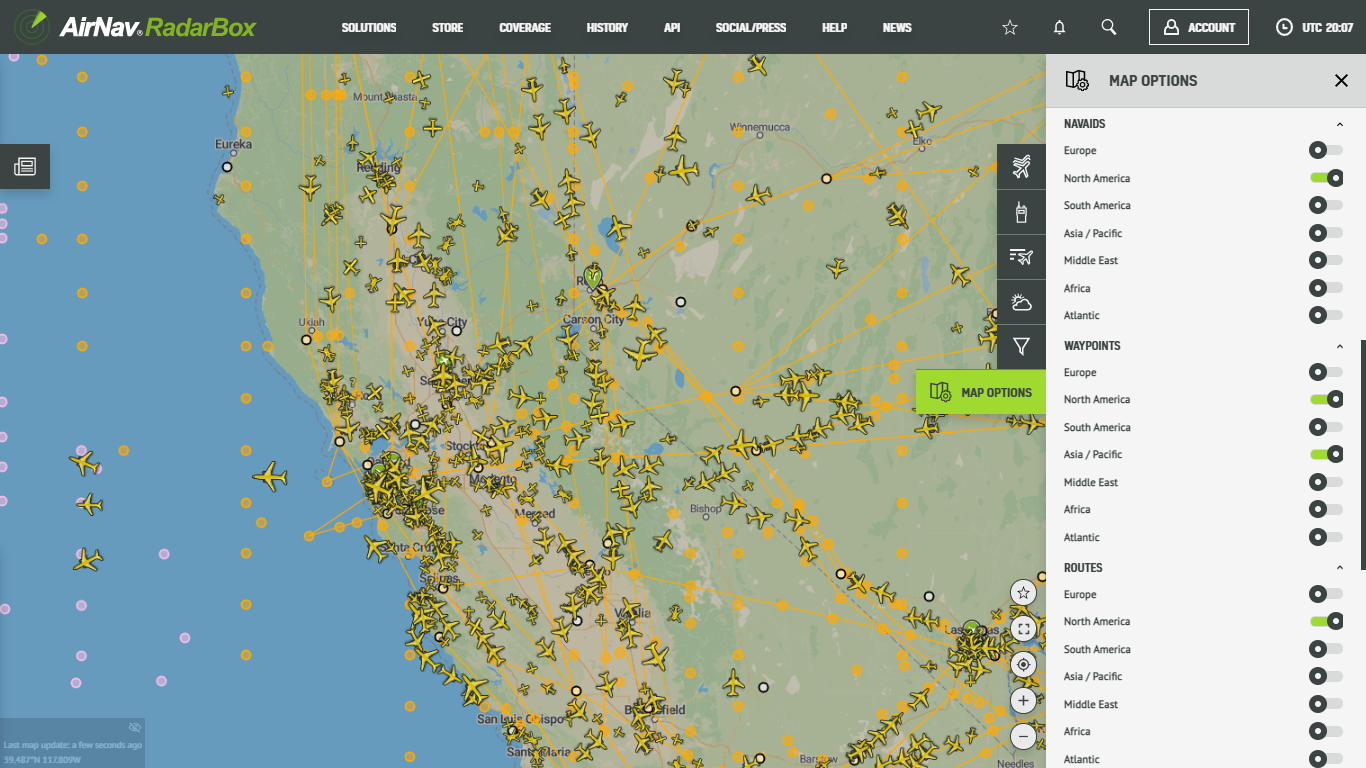
La imagen de arriba: Tutorial de ayudas a la navegación, puntos de referencia y rutas
¿Tiene alguna pregunta o comentario? Envíenos un tweet con el hashtag: #RadarBox o envíenos un correo electrónico con su problema/pregunta o comentario a: [email protected]
Para recibir algunos de estos beneficios, ¿por qué no considera suscribirse a RadarBox?